MetersMate helps you track electricity, water, gas, heating, solar, and other meters across your properties. Add readings, follow consumption, manage tariff changes, and export PDF or CSV reports from iPhone, iPad, and Mac.
Made for practical property adminProperties, meters, readings, rates, tariffs, tenants, reminders, and reports stay connected.
Focused utility recordsA clean meter logbook instead of a large property-management suite.
Apple-native workflowQuick entry on iPhone, spacious review on iPad, detailed work on Mac.
The monthly job, made orderly
Stop hunting through notes, photos, and spreadsheets.
Utility readings become messy fast: different properties, day and night rates, water and heating meters, tariff changes, tenant handovers, and reports that need to be sent later. MetersMate keeps the history structured from the first reading.
Readings are grouped by property and meter, so each place keeps its own record.
Multi-rate meters stay readable, with each rate tracked separately.
Tariff history is tied to the rate it affects, including effective dates.
Reports come from the same source of truth used for daily readings.
Feature walkthrough
A record for every property, meter, rate, and report.
MetersMate keeps utility work small enough to maintain, but structured enough to trust months later when a tenant, invoice, or owner asks for the numbers.
01
Keep every place separate.
Create homes, flats, offices, or rental units with their own meters, tenants, colors, and history. A property can stay simple with one meter or grow into a full utility record with electricity, water, gas, heating, and solar.
02
Day and night rates, water, gas, heating, and more.
Meters can be single-rate or multi-rate. Record one value when the meter is simple, or keep day, night, off-peak, export, or custom rates separated when the bill requires it.
03
See what changed since the last reading.
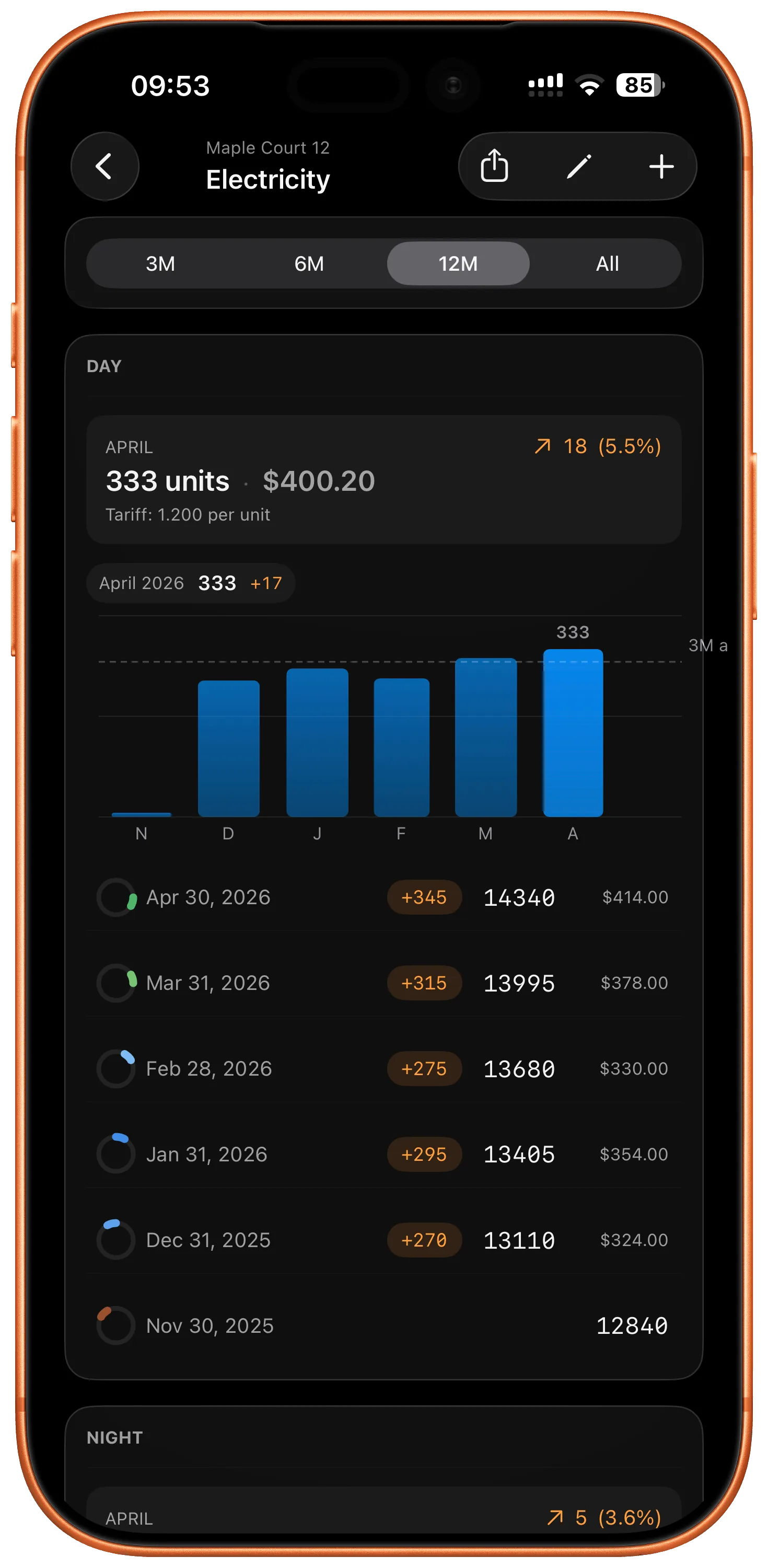
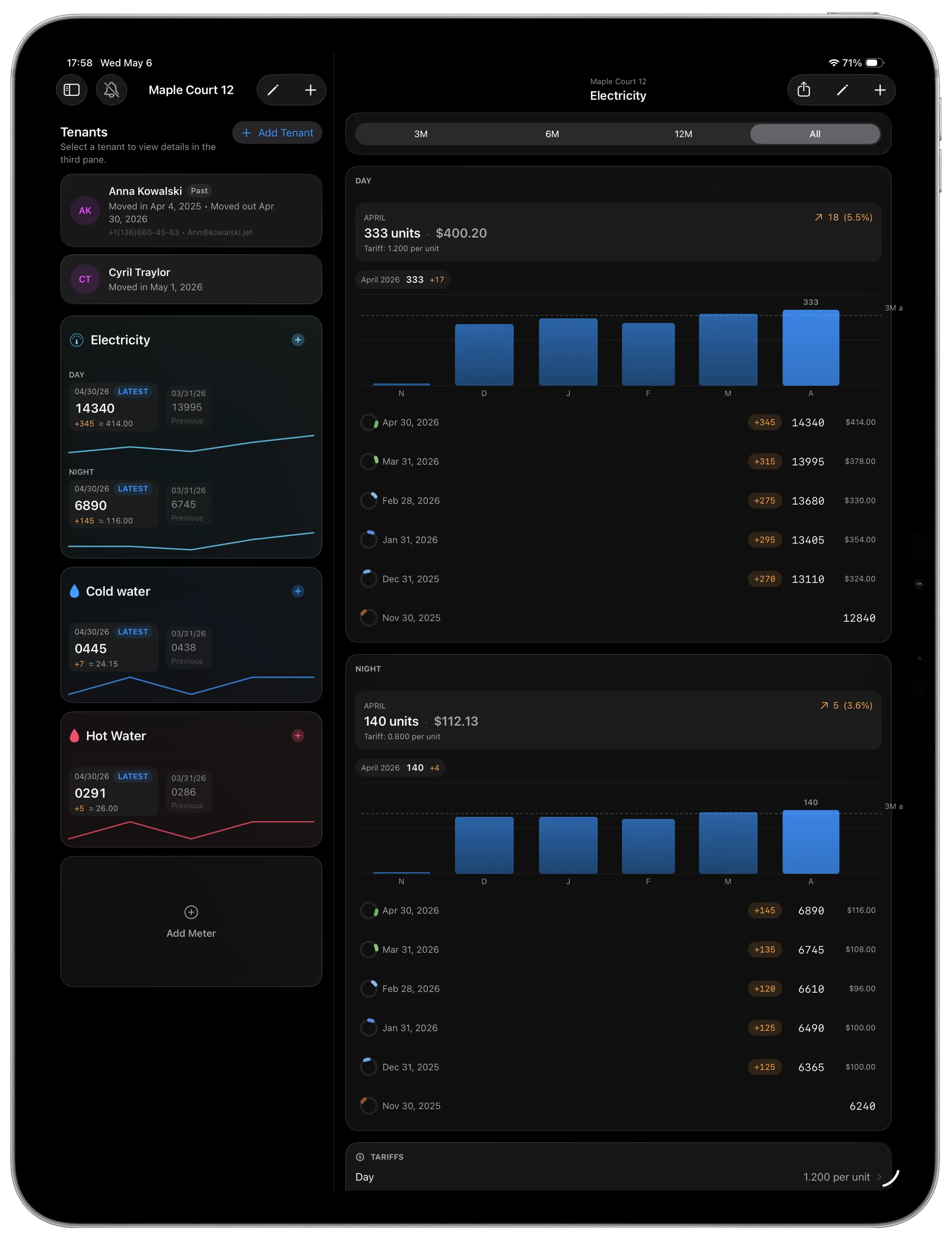
Review deltas, recent entries, charts, and estimated costs. The reading history helps you spot unusual movement before it becomes an accounting problem.
04
Costs stay accurate when prices change.
Store tariff history with effective dates. When the price changes, MetersMate keeps the old rate in the record and applies the new one where it belongs.
05
Tenant context stays close to the meters.
Keep tenant names, occupancy dates, and contact details near the property record. It is useful during handovers, move-outs, and any month when readings need a clear paper trail.
Tenant details remain part of your private app data. They are not used for ads or third-party tracking.
Reports and export
Send clean records when you need them.
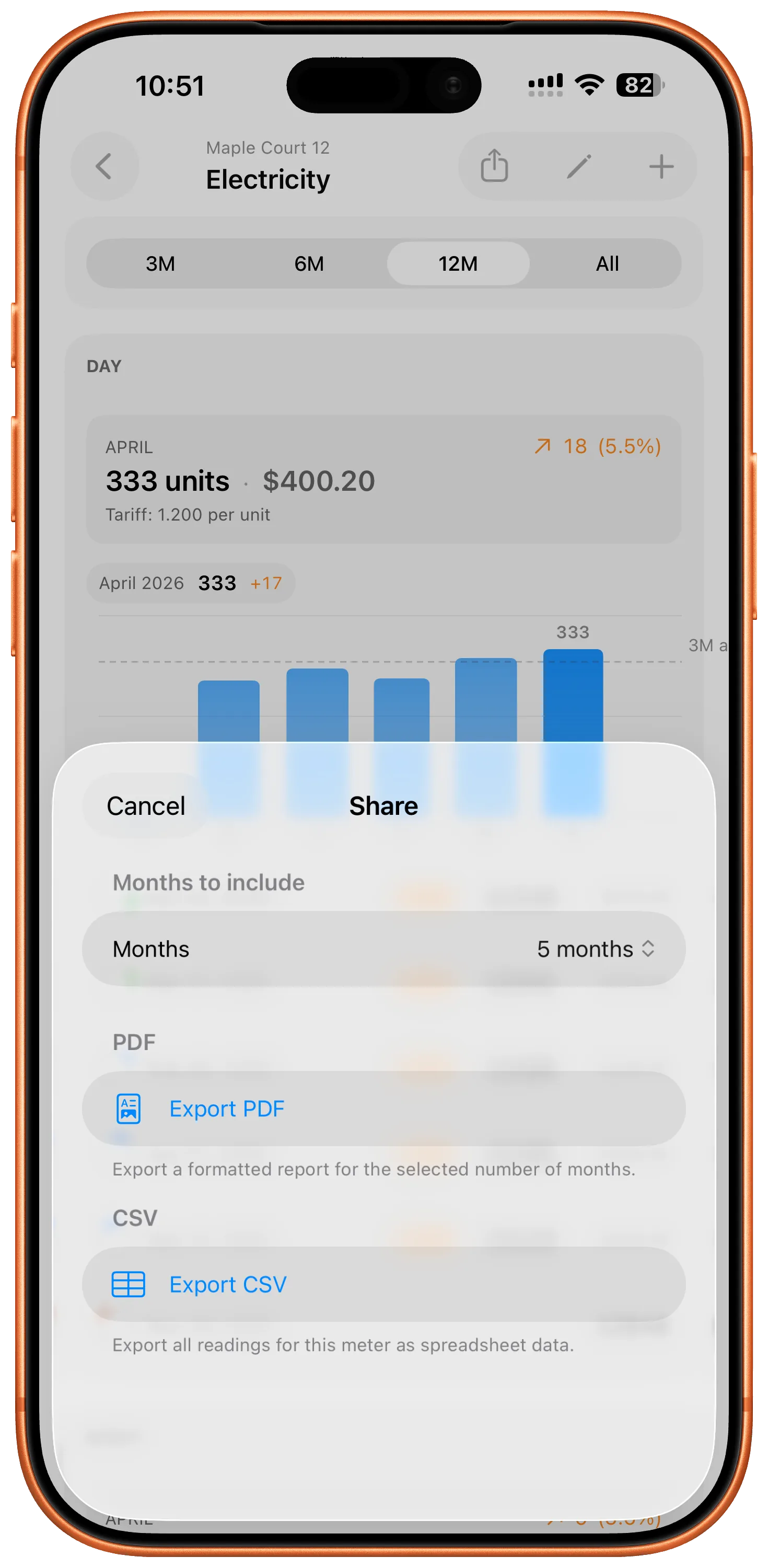
Export formatted PDF reports for sharing, or CSV data for spreadsheets and accounting. Reports can include the selected meter history, consumption, tariffs, and costs, so the numbers are easier to explain later.
Real app screens
Built around the records you actually check.
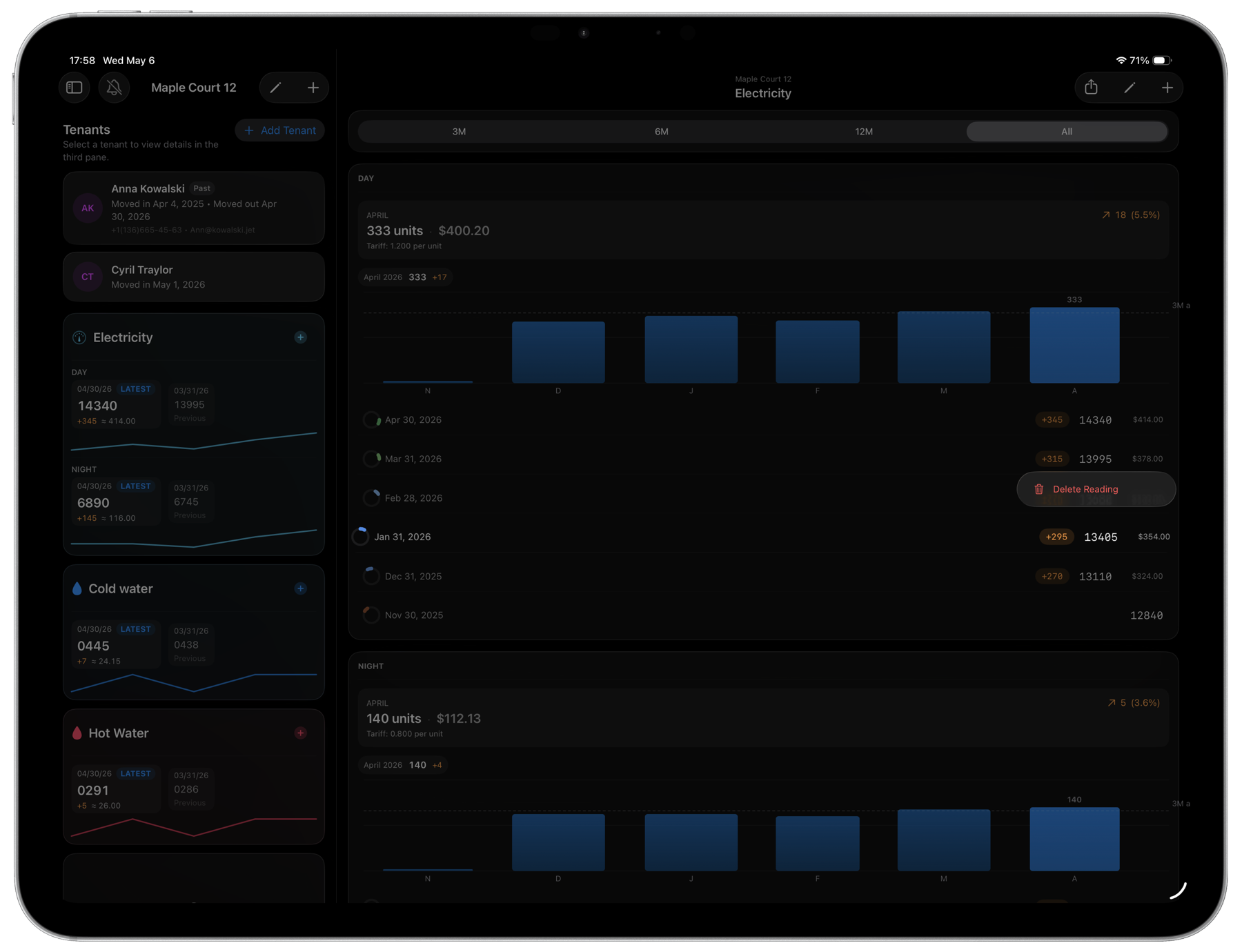
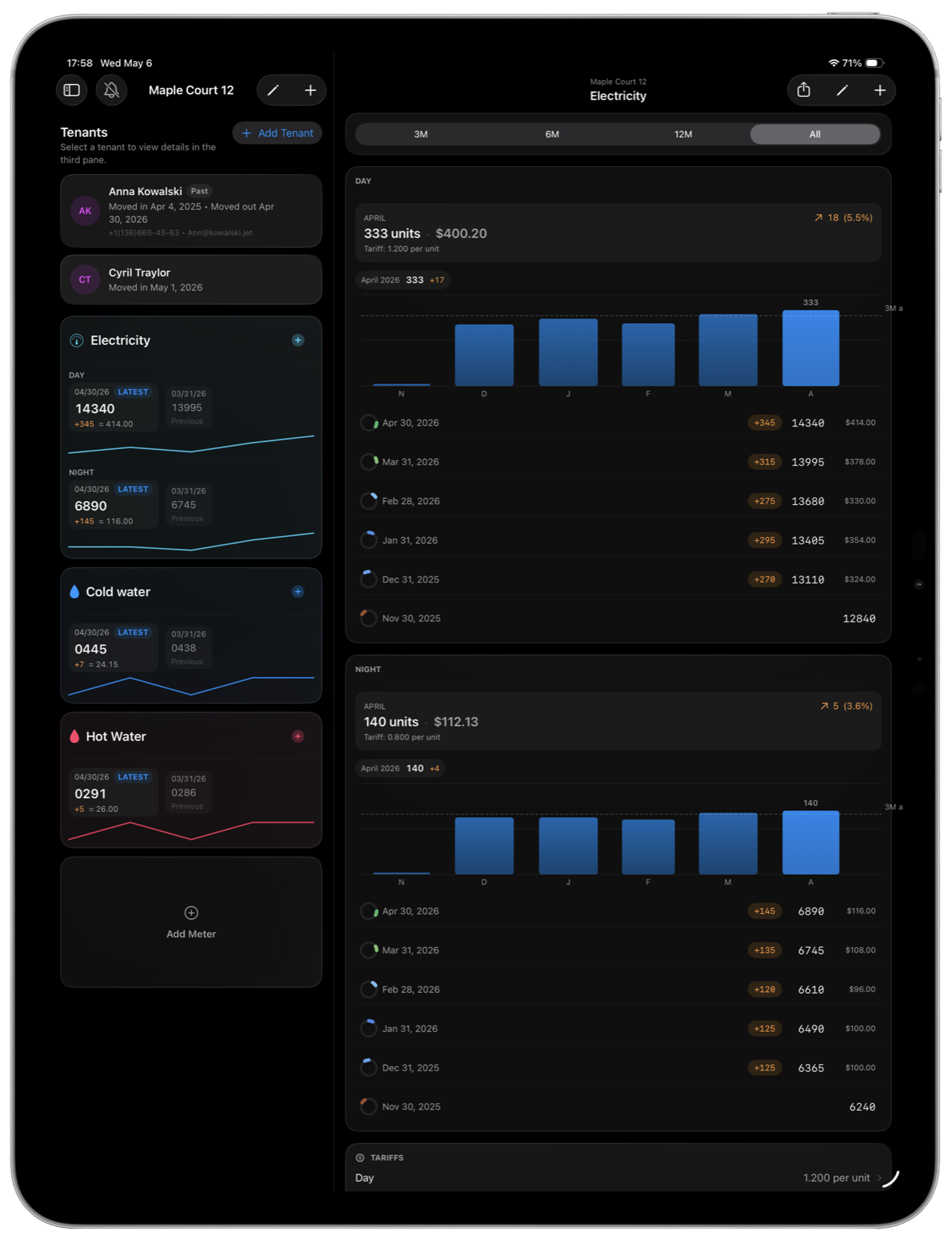
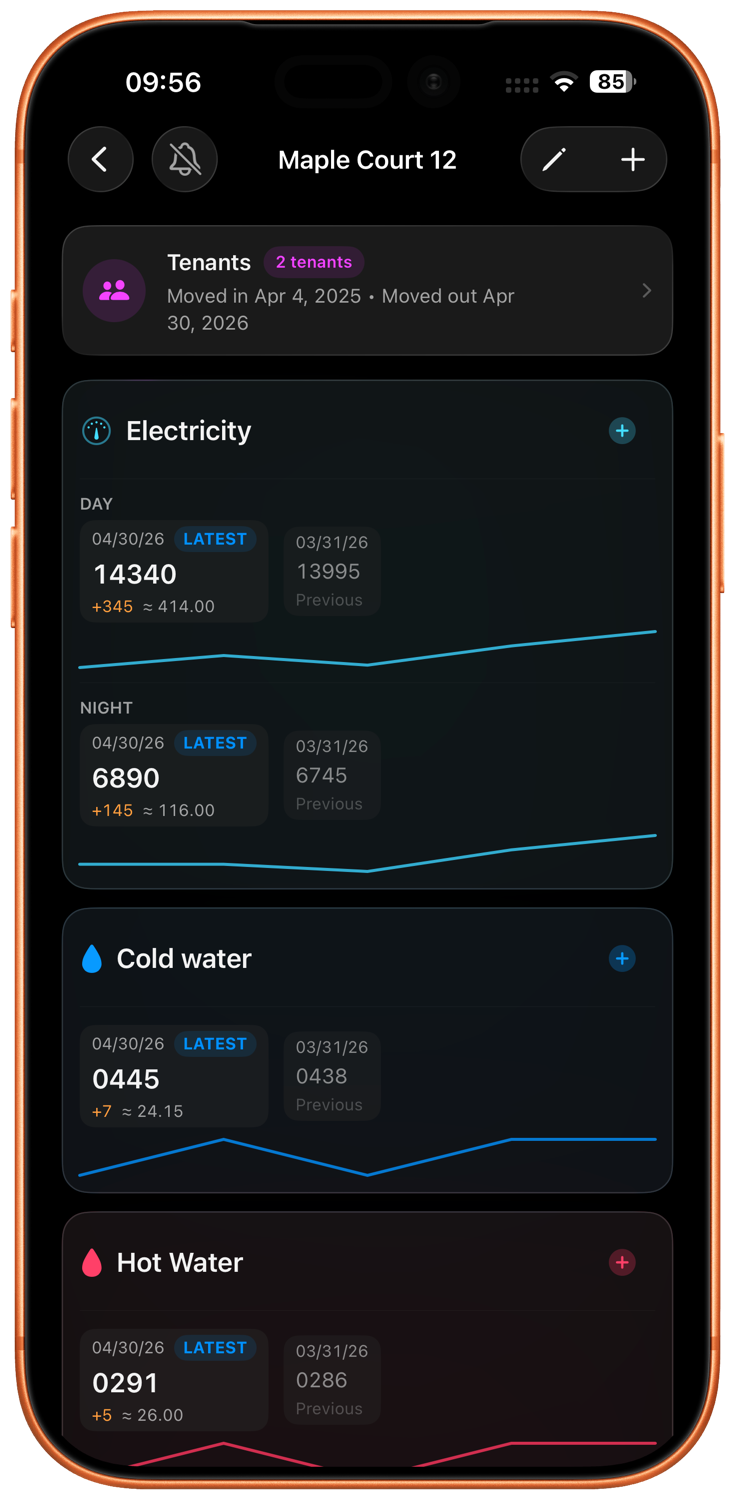
The interface stays close to the work: property lists, meter cards, readings, charts, tariffs, export actions, and cross-device layouts. No abstract dashboards, just the utility logbook.
Multi-rate history with recent readings, deltas, charts, and costs.
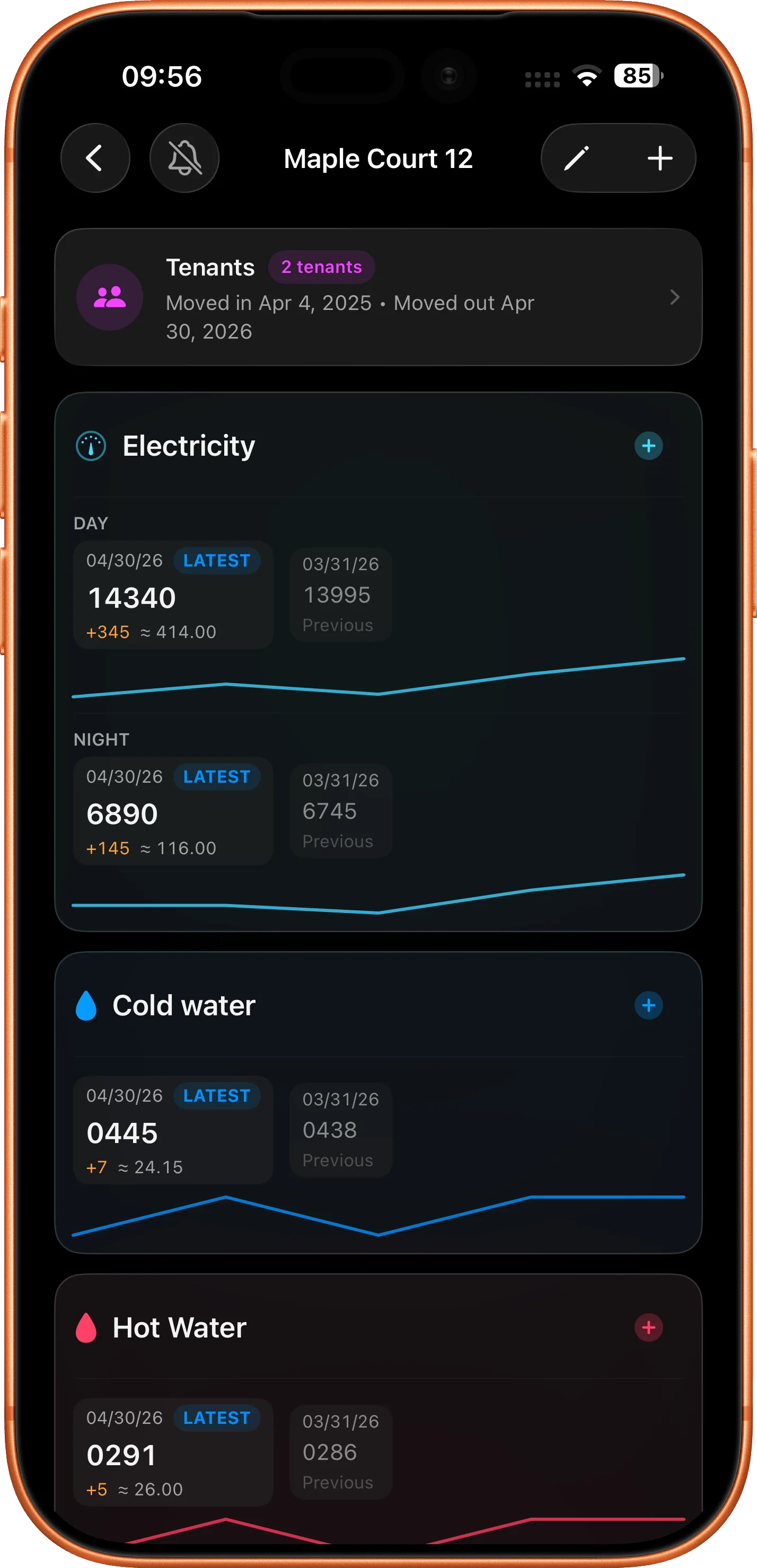
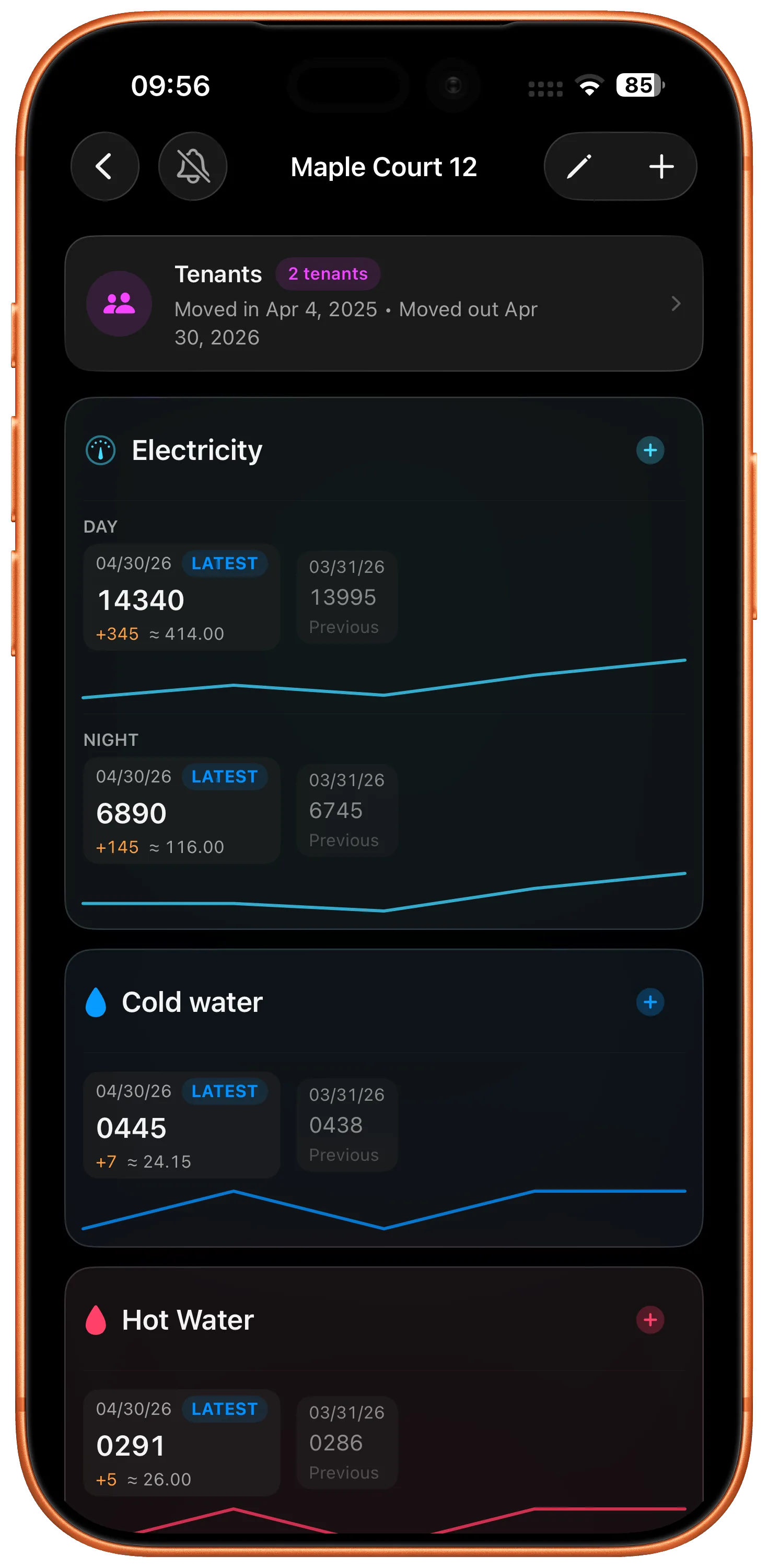
Property overview with tenants and utility meter cards.
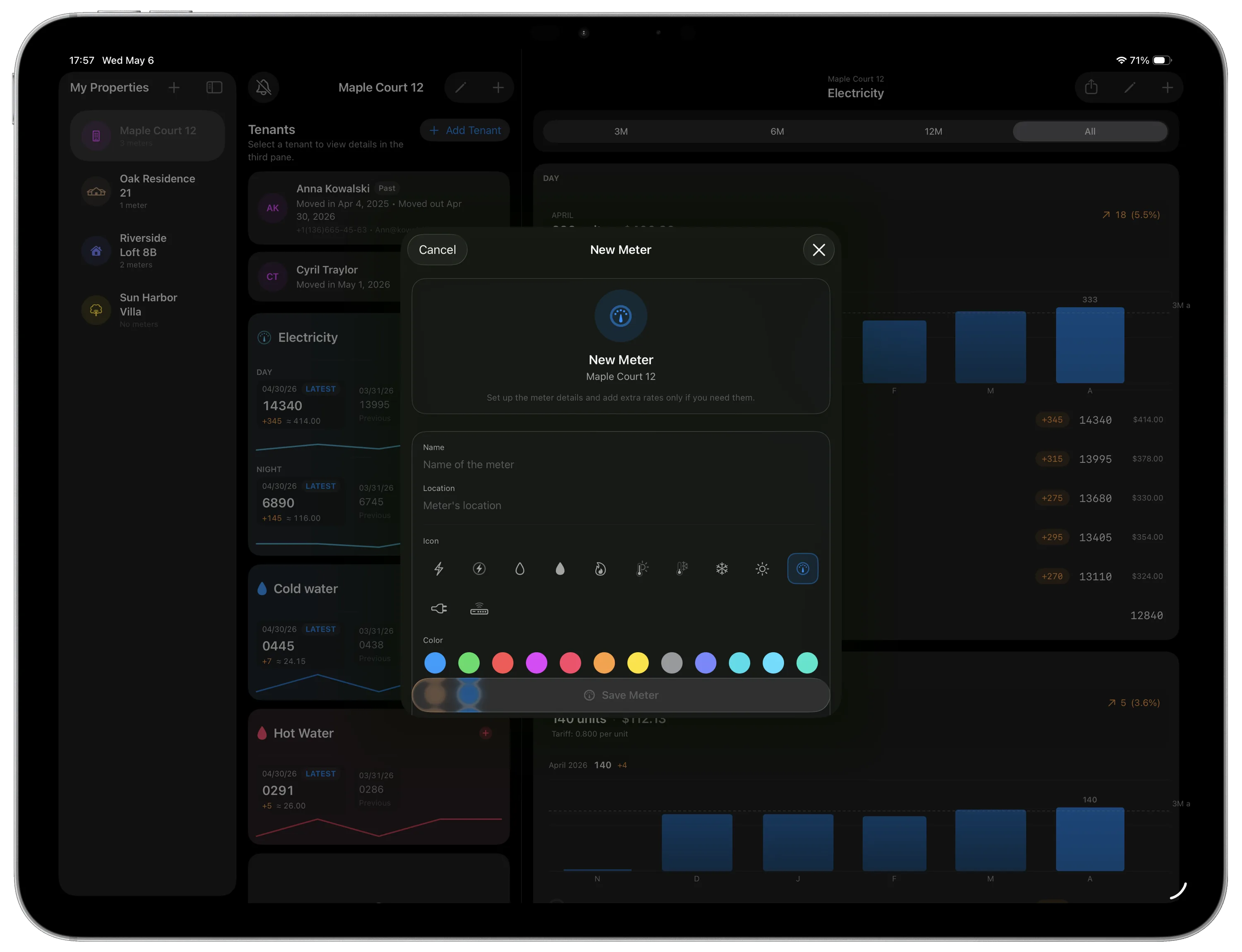
Meter setup with icons, colors, and rate structure.
Orientation and language
Portrait, landscape, and familiar app language.
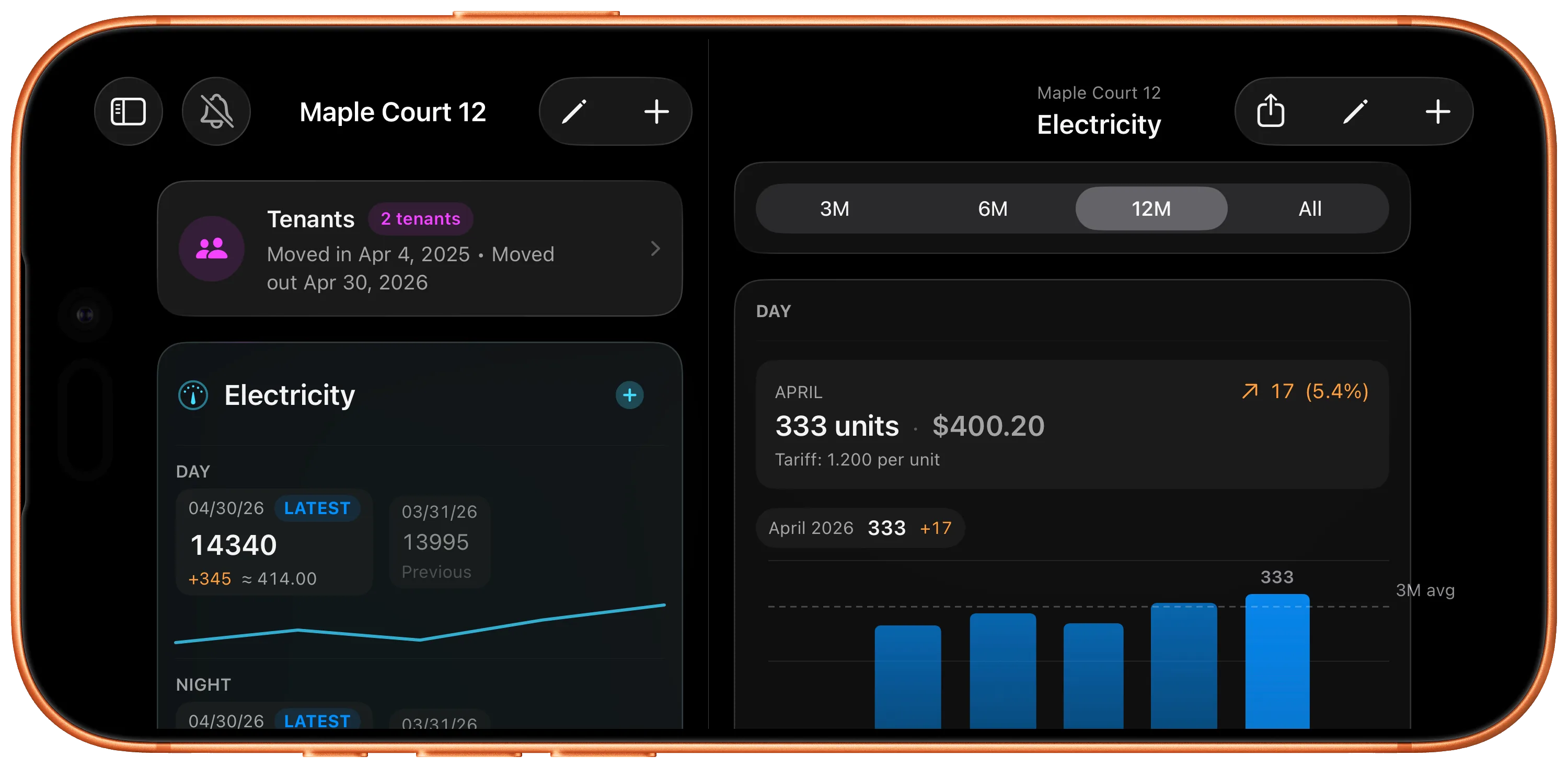
MetersMate adapts to the way you are working: quick portrait entry near a meter, wider iPad layouts for reviewing histories, and localized app text for English, German, Italian, Hungarian, Russian, and Ukrainian users.
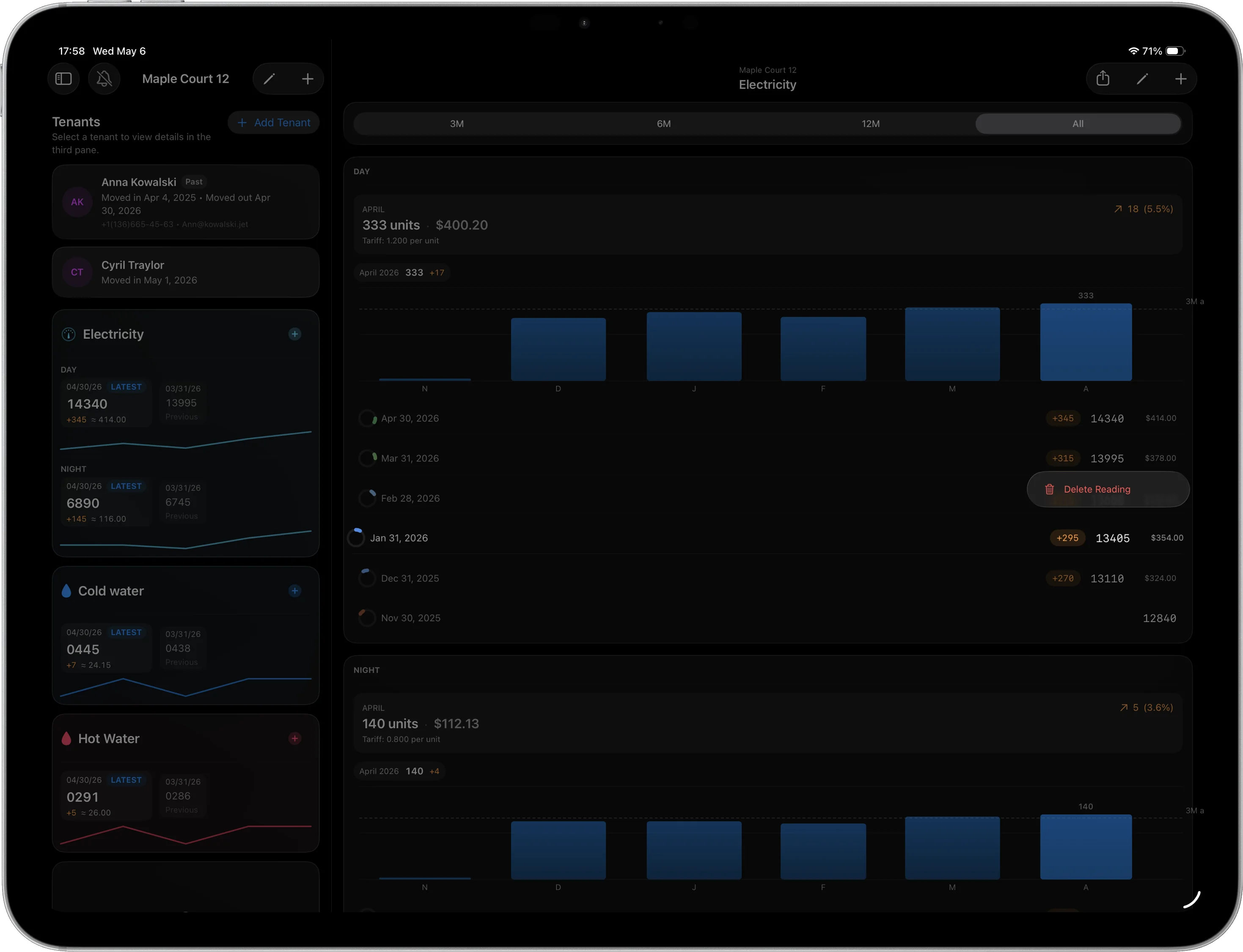
iPad landscape gives property managers a wider workspace for properties, tenants, meter cards, and reading history.
iPad portrait keeps the split-view workflow available when the device is held upright.iPhone portrait is tuned for fast reading entry and quick checks while standing at the meter.
Localized app
Useful records should not depend on one language.
MetersMate ships with localized app wording for everyday utility work, so landlords and property managers can keep meter records in the language that fits their property admin.
English
Deutsch
Italiano
Magyar
Русский
Українська
Private by design
No account, no ads, no third-party tracking.
MetersMate is a private Apple-native utility. Your meter readings, tenant context, tariffs, and reports stay on your devices and can sync through your private iCloud when enabled. If iCloud is not available, the app can continue with local storage.
No account requiredStart tracking without a login or separate profile.
Private iCloud syncUse Apple iCloud to keep records available on your devices.
Local fallbackContinue working locally when iCloud is unavailable.
No advertising dataThe app is not built around ads, profiling, or analytics collection.
Apple-native
Built for iPhone, iPad, and Mac.
Add quick readings on iPhone, review larger histories on iPad, and manage detailed records from Mac. MetersMate uses native Apple interfaces so the app feels familiar on every device.
iPhone
Fast entry at the meter, with recent values and export actions close at hand.
iPad
Split view for properties, tenants, meter cards, and detailed reading history.
Mac
A desktop-friendly workspace for reviewing longer histories and maintaining records.
Support
Need help with MetersMate?
For support, feedback, or privacy questions, contact support@rnglad.com. The support page also covers setup, iCloud sync, exports, reminders, tariffs, and common reporting questions.